
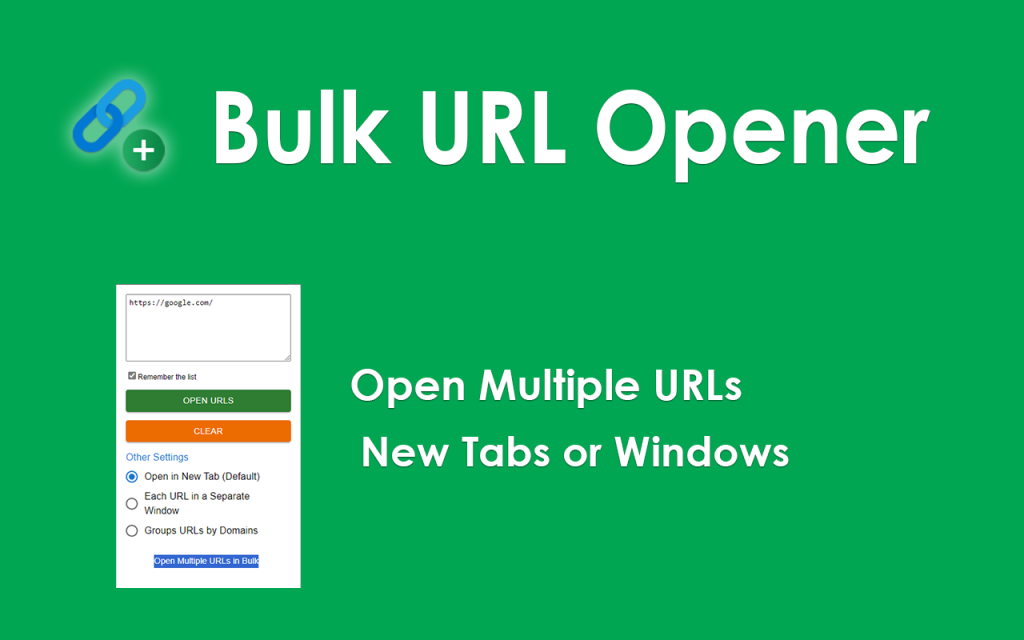
Url Opener is a widely used web-based utility designed to help users open multiple URLs simultaneously, saving time and improving workflow efficiency. As internet users become more privacy-conscious, a common and important question arises: does a URL Opener store or track the URLs entered by users? This concern is especially relevant for professionals who handle sensitive data, confidential links, or internal resources as part of their daily work.
Url Opener tools are often simple in design but powerful in function. While their primary purpose is convenience, understanding how these tools handle user data is essential. This article explores in depth whether URL Opener tools store, log, or track URLs, how they typically operate, the privacy implications involved, and what users should look for to ensure safe and private usage.
Understanding How a URL Opener Works
A URL Opener is a utility that allows users to paste or enter multiple web addresses and open them at once in new browser tabs or windows. Instead of clicking links one by one, users can input a list of URLs and initiate a single action to load them simultaneously.
Most URL Openers operate entirely on the client side, meaning the processing happens within the user’s browser rather than on a remote server. In such cases, the tool reads the input, splits the URLs, and instructs the browser to open them. This architectural design plays a critical role in determining whether URLs are stored or tracked.
Client-Side vs Server-Side Processing
To understand data privacy concerns, it is essential to distinguish between client-side and server-side processing.
Client-Side URL Openers
Client-side URL Openers run scripts directly in the browser. The URLs entered never leave the user’s device. The tool does not transmit data to an external server, nor does it store any information beyond the immediate session.
In this setup:
- URLs are processed locally
- No data is logged or saved
- Once the page is refreshed or closed, all input is lost
These tools are generally considered privacy-friendly and safe for sensitive usage.
Server-Side URL Openers
Some URL Openers rely on server-side logic. In these cases, the entered URLs may be sent to a server for processing before being opened or redirected back to the browser.
In this setup:
- URLs may pass through a remote server
- Temporary logging may occur
- Data handling depends on the service’s privacy policy
Whether tracking occurs depends entirely on how the service is designed and managed.
Do URL Openers Store Entered URLs?
In most reputable and well-designed URL Opener tools, URLs are not stored permanently. The primary function does not require long-term data retention. However, there are scenarios where URLs could be stored temporarily or indirectly.
Temporary Storage in Memory
Some tools may temporarily hold URLs in memory during processing. This storage is volatile and cleared as soon as the task is completed or the session ends.
Browser-Level Storage
Certain URL Openers may use browser features such as local storage or session storage to improve user experience. For example, a tool might remember the last list of URLs entered so users can reuse them.
This data:
- Stays on the user’s device
- Is not accessible to the service provider
- Can be cleared manually by the user
Server Logs
If a URL Opener sends data to a server, URLs might appear in server access logs. These logs are usually maintained for performance monitoring or security purposes and are often automatically deleted after a short period.
Does a URL Opener Track User Activity?
Tracking refers to the systematic collection of user behavior data, often for analytics, advertising, or optimization purposes. Whether a URL Opener tracks URLs depends on its implementation and business model.
Analytics Tracking
Some URL Openers use analytics tools to understand usage patterns. These tools may track:
- Number of times the tool is used
- General geographic location
- Browser type or device
In privacy-focused tools, analytics are anonymized and do not include the actual URLs entered by users.
Advertising-Based Models
Free tools supported by advertising may collect more data to optimize ad performance. While this does not automatically mean URLs are tracked, it increases the likelihood of data collection beyond basic usage metrics.
No-Tracking Tools
Many URL Openers explicitly state that they do not track user input. These tools typically avoid analytics altogether or use minimal, privacy-respecting metrics.
Privacy Policies and Transparency
A reliable way to determine whether a URL Opener stores or tracks URLs is by reviewing its privacy policy. A transparent privacy policy should clearly state:
- What data is collected
- Whether URLs are stored or logged
- How long data is retained
- Whether data is shared with third parties
If a tool does not provide a clear privacy statement, users should be cautious, especially when handling sensitive URLs.
Security Implications of URL Handling
Even if a URL Opener does not intentionally store or track URLs, security considerations still matter.
HTTPS and Secure Connections
A secure URL Opener uses HTTPS to ensure that any data transmitted between the browser and server is encrypted. This prevents interception by third parties.
Script Integrity
Client-side tools rely on scripts. If these scripts are compromised, they could potentially capture input data. Using trusted and well-maintained tools reduces this risk.
Browser Permissions
Some URL Openers may request browser permissions. Users should review these permissions carefully and avoid tools that ask for unnecessary access.
Common Myths About URL Openers and Tracking
There are several misconceptions surrounding URL Openers and privacy.
All URL Openers Track URLs
This is false. Many tools operate entirely in the browser and do not collect or store any input data.
Opening Multiple URLs Is Inherently Unsafe
The act of opening multiple URLs does not increase risk. The safety depends on the source of the URLs and the design of the tool.
Free Tools Always Track Data
While some free tools rely on data collection, many are offered free without tracking, especially those built for utility rather than monetization.
How to Choose a Privacy-Friendly URL Opener
Users concerned about privacy should consider the following factors when selecting a URL Opener.
Prefer Client-Side Tools
Tools that explicitly state they work entirely in the browser are generally safer from a privacy perspective.
Check Privacy Statements
A clear and concise privacy policy is a strong indicator of a trustworthy service.
Avoid Account-Based Requirements
URL Openers that require user accounts may store usage history. For maximum privacy, choose tools that do not require registration.
Test Offline Behavior
Some URL Openers continue to work even when the internet connection is disabled after loading. This suggests client-side processing.
Use Cases Where Privacy Matters Most
Certain scenarios make URL privacy especially important.
SEO and Marketing Professionals
Marketers often work with unpublished landing pages, campaign URLs, or competitor research links.
Developers and IT Teams
Internal tools, staging environments, and private dashboards should not be exposed through tracking systems.
Researchers and Journalists
Sensitive sources and confidential resources require strict privacy controls.
In these cases, choosing a non-tracking URL Opener is essential.
Legal and Compliance Considerations
Depending on jurisdiction, data protection laws may apply to URL Openers that collect user data.
Data Protection Regulations
In many regions, collecting identifiable user data without consent can violate privacy laws.
Responsibility of Service Providers
Reputable URL Opener providers design their tools to avoid unnecessary data collection, reducing legal and ethical risks.
Best Practices for Users
Even when using privacy-respecting tools, users can take additional steps to protect themselves.
- Clear browser data regularly
- Avoid pasting sensitive URLs into unknown tools
- Use private browsing modes when necessary
- Review browser extensions that interact with web pages
These practices help minimize exposure regardless of the tool used.
Conclusion
Url Opener tools, when designed responsibly, do not store or track the URLs users enter. Most modern URL Openers focus on client-side processing, ensuring that URLs remain on the user’s device and are not logged or monitored. While some tools may collect limited, anonymized usage data, the actual URLs are typically not stored or analyzed. By choosing transparent, privacy-focused URL Openers and following best practices, users can confidently enjoy the convenience of opening multiple links without compromising their privacy or security.