
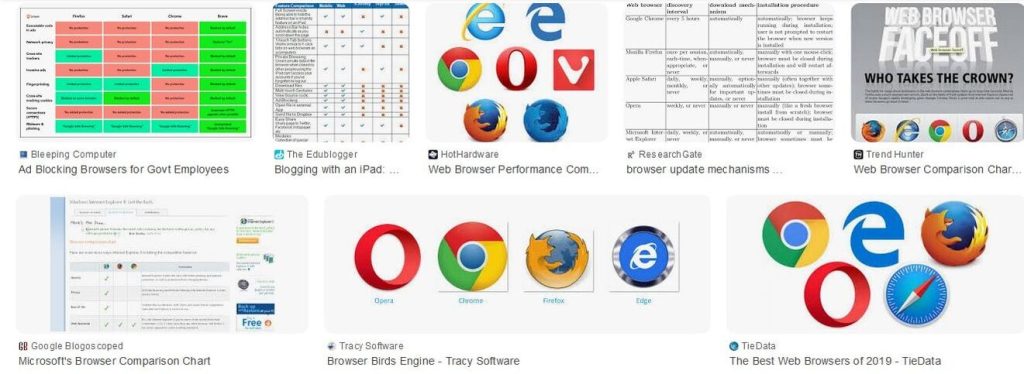
Url Opener is a browser-based utility designed to open multiple URLs simultaneously, saving time for digital professionals, researchers, marketers, and everyday users. Its performance and reliability depend heavily on browser compatibility, as different browsers handle scripts, pop-ups, security permissions, and resource management in distinct ways. Understanding which browsers are fully compatible helps users avoid errors, blocked tabs, or incomplete operations.
In today’s multi-device environment, users access URL Opener tools on desktops, laptops, tablets, and smartphones. A compatible browser ensures smooth execution, accurate results, and a consistent user experience. This article explores in detail which browsers are fully compatible with URL Opener, how each browser handles URL opening tasks, and what technical factors influence compatibility.
Understanding URL Opener Compatibility
Browser compatibility with URL Opener depends on several technical and functional aspects. These include JavaScript execution, tab and window management, pop-up handling, security policies, memory optimization, and cross-platform support. A fully compatible browser must allow batch URL processing without excessive restrictions while maintaining stability and performance.
Modern URL Opener tools are typically built using standard web technologies such as HTML5, CSS, and JavaScript. Browsers that fully support these standards and update them regularly tend to offer the best compatibility. In contrast, outdated or less commonly used browsers may limit functionality or block critical features.
Google Chrome Compatibility with URL Opener
Google Chrome is widely regarded as one of the most fully compatible browsers for URL Opener tools. Its robust JavaScript engine, known as V8, executes scripts quickly and efficiently, making it ideal for handling large batches of URLs.
Chrome offers advanced tab management, allowing multiple links to open simultaneously without freezing or crashing. Although Chrome has strict pop-up blocking by default, users can easily allow pop-ups for specific sites, enabling seamless URL opening. Regular updates ensure ongoing compatibility with modern web standards, making Chrome a top choice for URL Opener usage.
Mozilla Firefox Compatibility with URL Opener
Mozilla Firefox is another browser that provides excellent compatibility with URL Opener tools. Its open-source architecture and powerful JavaScript engine ensure accurate execution of batch-opening scripts. Firefox handles multiple tabs efficiently and provides granular control over pop-up permissions.
One of Firefox’s strengths is its transparency in privacy and security settings. Users can customize permissions to allow URL Opener tools without compromising overall browser security. Firefox also performs well across different operating systems, making it a reliable option for users who value flexibility and control.
Microsoft Edge Compatibility with URL Opener
Microsoft Edge, built on the Chromium engine, offers compatibility levels similar to Google Chrome. It supports modern web technologies and handles multiple URLs with stability and speed. Edge’s integration with the Windows operating system further enhances performance, particularly for users on Windows devices.
Edge includes smart security features that may initially restrict multiple tab openings. However, once permissions are adjusted, URL Opener tools function smoothly. Its efficient memory usage makes it suitable for opening large sets of URLs without significant slowdowns.
Safari Compatibility with URL Opener
Safari is the default browser for macOS and iOS devices and offers good compatibility with URL Opener tools, especially on desktop systems. Safari supports modern web standards and executes JavaScript efficiently, though its approach to pop-up blocking is more restrictive than some other browsers.
On macOS, users may need to manually allow pop-ups or adjust security settings to ensure full functionality. On iOS devices, limitations imposed by the operating system can restrict the number of URLs opened at once. Despite these constraints, Safari remains a solid option for users within the Apple ecosystem.
Opera Browser Compatibility with URL Opener
Opera is a Chromium-based browser that delivers strong compatibility with URL Opener tools. Its underlying engine ensures support for modern scripts, while its built-in features, such as tab management and performance optimization, enhance the user experience.
Opera may include additional security layers that block multiple pop-ups by default. Once configured correctly, it performs similarly to Chrome and Edge. Opera is particularly useful for users who appreciate integrated tools and efficient handling of multiple tabs.
Brave Browser Compatibility with URL Opener
Brave is a privacy-focused browser that also uses the Chromium engine. From a technical perspective, it is fully capable of running URL Opener tools. However, its aggressive default settings for blocking pop-ups and scripts can interfere with batch URL opening.
Users must adjust Brave’s shield settings to allow scripts and pop-ups for the URL Opener tool they are using. Once configured, Brave offers fast performance and stability, making it compatible for advanced users who prioritize privacy.
Internet Explorer and Legacy Browser Compatibility
Internet Explorer is no longer considered compatible with modern URL Opener tools. Its outdated rendering engine lacks support for many current web standards, resulting in broken functionality or complete failure when attempting to open multiple URLs.
Other legacy browsers share similar issues, including limited JavaScript support and poor tab management. These browsers are not recommended for URL Opener usage and should be avoided in favor of modern alternatives.
Mobile Browsers and URL Opener Compatibility
Mobile browsers present unique challenges for URL Opener tools. Chrome and Firefox on Android generally offer good compatibility, although operating system restrictions may limit the number of tabs opened at once.
On iOS, all browsers use the same underlying WebKit engine, which imposes stricter controls on background processes and pop-ups. As a result, URL Opener tools may function with limitations on iPhones and iPads. Desktop browsers remain the preferred choice for full functionality.
Key Technical Factors Affecting Compatibility
Several technical factors influence whether a browser is fully compatible with URL Opener tools. JavaScript execution speed determines how quickly URLs are processed. Tab and memory management affect stability during large batch operations. Pop-up handling policies control whether links open successfully or are blocked.
Security features, while essential, can interfere with URL Opener functionality if not configured properly. Browsers that balance security with user control tend to offer the best compatibility.
Best Practices for Ensuring Full Compatibility
To achieve optimal results, users should keep their browsers updated to the latest versions. Allowing pop-ups and scripts for trusted URL Opener tools is essential. Using desktop browsers instead of mobile ones ensures fewer restrictions and better performance.
Clearing browser cache, disabling conflicting extensions, and monitoring system resources can also improve compatibility. These practices help ensure smooth operation regardless of the browser used.
Comparing Browser Performance for URL Opener
When comparing browsers, Chrome and Edge excel in speed and stability, making them ideal for heavy usage. Firefox offers flexibility and transparency, appealing to users who value customization. Safari works well within the Apple ecosystem but may require additional configuration. Opera and Brave provide strong performance with added features, though they may need manual adjustments.
Legacy browsers fall far behind due to outdated technology. Overall, modern Chromium-based and Firefox browsers dominate in terms of compatibility.
Conclusion
Url Opener compatibility depends largely on using modern, well-supported browsers that can handle advanced web technologies and batch operations efficiently. Browsers such as Google Chrome, Mozilla Firefox, Microsoft Edge, Safari, Opera, and Brave all offer varying degrees of full compatibility when properly configured. Among these, Chrome, Edge, and Firefox stand out as the most reliable choices for consistent performance and ease of use.